
Installed Apps
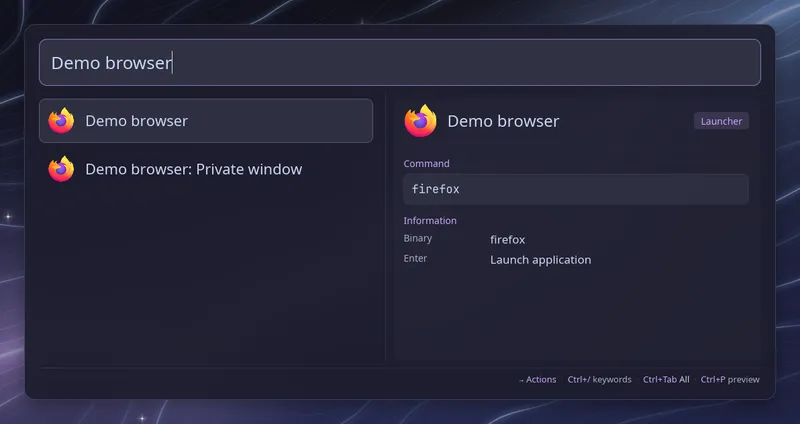
Raffi can list the applications installed on your system, read from their
.desktop files, next to the launchers you configured. Turn it on with:
addons: apps: enabled: trueApps come after your launchers and are searched, sorted by use and shown with their icons like any launcher. An app is left out when one of your launchers has the same name or runs the same command, so a launcher you wrote for Firefox wins over the Firefox desktop entry.
Desktop actions are listed as their own rows, titled with the app name
first, such as “Firefox: New Private Window” or “Kitty: New Window”. Set
actions: false to list the apps only.
When no launcher is configured at all, Raffi already lists the installed
apps on its own, whatever enabled is set to. actions applies there too.
With general.raise_running
on, Enter on an app that already has a window open focuses that window, and
Ctrl+Enter starts another copy. Raffi matches the window against the app’s
StartupWMClass and the name of its desktop file. Desktop actions always
start something new, and so do terminal apps unless their file sets
StartupWMClass.
Which apps are listed
Section titled “Which apps are listed”Raffi reads the applications folder of $XDG_DATA_HOME and of each
$XDG_DATA_DIRS entry, in that order. When two folders hold the same
desktop file, the first one wins, so a copy in
~/.local/share/applications replaces or hides the system one.
An app is skipped when:
- its file sets
NoDisplay=trueorHidden=true, - it is not of
Type=Application, - its
TryExecprogram is not installed, OnlyShowInorNotShowInrule it out for the desktop named in$XDG_CURRENT_DESKTOP.
Apps marked Terminal=true, such as htop, open in the terminal found by the
terminal addon. They are left out when no terminal is
found or when addons.terminal.enabled is false.
Configuration
Section titled “Configuration”addons.apps.enabled boolean (default: false)
List the installed .desktop applications after your launchers. When no
launcher is configured at all, the apps are listed whatever this is set to.
addons.apps.actions boolean (default: true)
Also list each app’s desktop actions as their own rows, such as “Firefox: New Private Window”.
addons: apps: enabled: true actions: false