
Color Converter
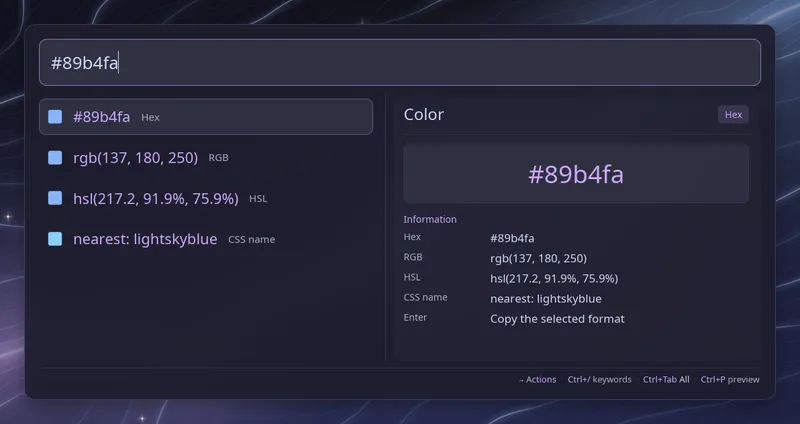
Type a color and Raffi shows it in four formats above your launchers, each row with a small swatch of the color. No keyword is needed:
#ff8800 → #ff8800 rgb(255, 136, 0) hsl(32, 100%, 50%) nearest: darkorangeMove to the format you want and press Enter to copy it. The last row gives the
closest CSS color name, or the name itself when the color matches one exactly.
Copying needs wl-copy, xclip or xsel.
Accepted formats
Section titled “Accepted formats”Input is case-insensitive.
| Format | Examples |
|---|---|
| Hex | #f80, #ff8800, with alpha #f808, #ff880080 |
| RGB | rgb(255, 136, 0), rgb(255 136 0), rgba(255, 136, 0, 0.5), rgb(255 136 0 / 50%), rgb(100% 53% 0%) |
| HSL | hsl(32, 100%, 50%), hsl(32deg 100% 50%), hsla(32, 100%, 50%, 0.5) |
Values outside their range, such as rgb(300, 0, 0) or a hue above 360, show
nothing. A color with transparency is shown as #rrggbbaa, rgba() and
hsla(), and its name row always says “nearest”.
Plain color names like red do not trigger the converter, so typing an app
name never gets in the way.
Configuration
Section titled “Configuration”addons.color.enabled boolean (default: true)
Enable or disable the color converter.
addons.color.close_on_action boolean (default: true)
Close Raffi after copying a color. Leave it unset to follow
general.close_on_action.
addons: color: enabled: false