CI and PR/MR Status
LazyWorktree surfaces pull/merge request information and CI state directly in the status pane.
Requirements
LazyWorktree auto-detects the forge from your repository remote.
Status Indicators
For worktrees linked to PR/MR items:
| Indicator | Colour | Status |
|---|---|---|
✓ |
Green | Passed |
✗ |
Red | Failed |
● |
Yellow | Pending |
○ |
Grey | Skipped |
⊘ |
Grey | Cancelled |
Status data is fetched lazily and cached briefly for responsiveness.
Navigation and Actions
| Key | Action |
|---|---|
v |
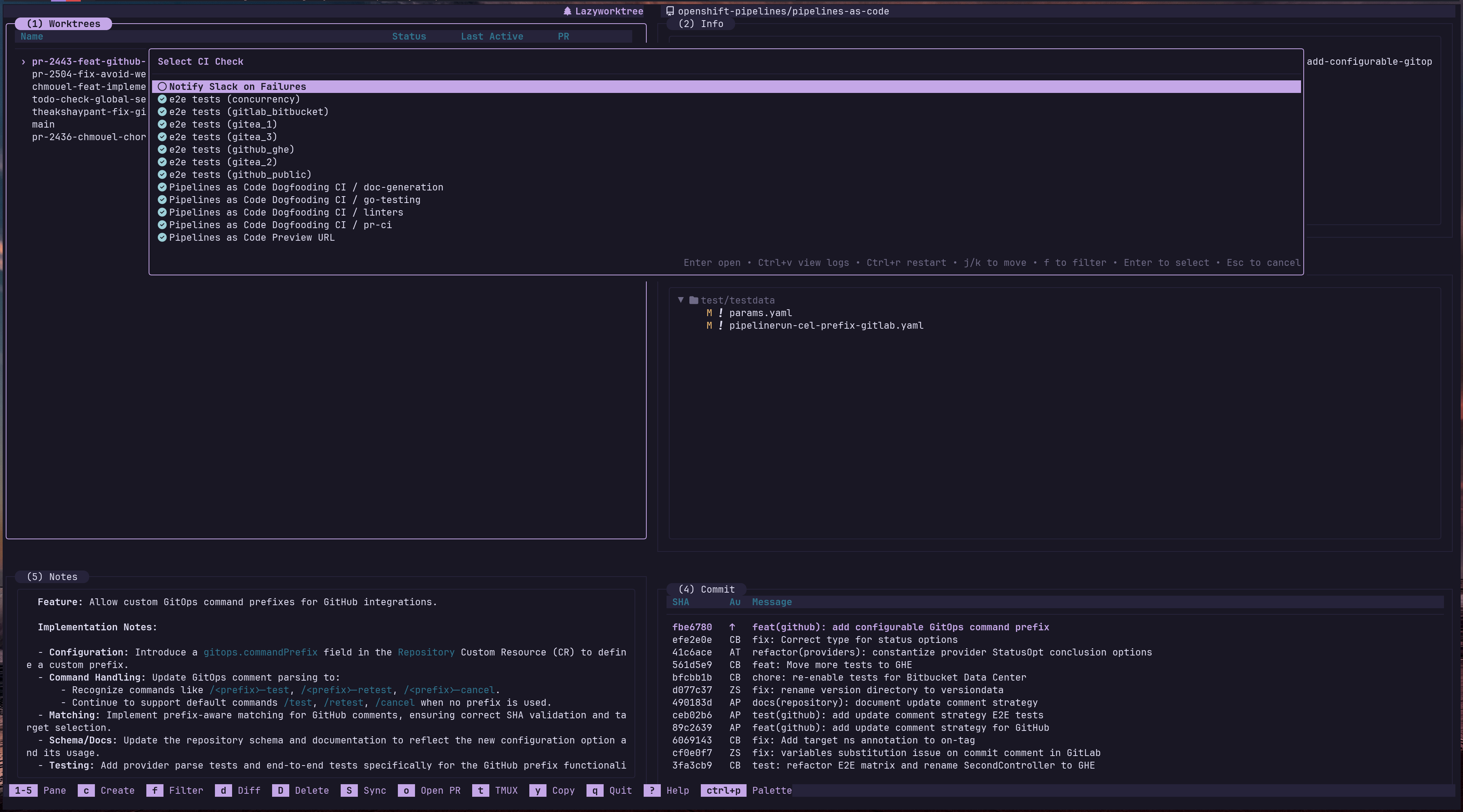
View CI checks (when Status pane is focused) |
j / k |
Navigate between CI checks |
Enter |
Open selected check URL in browser |
Ctrl+v |
View selected check logs in pager |
Ctrl+r |
Restart CI job (GitHub Actions only) |
Viewing CI Logs
Press Ctrl+v on a selected check to open its logs in your configured pager. The pager command is set via the ci_log_pager configuration option, falling back to diff_pager or $PAGER.
Restarting Jobs
Press Ctrl+r to restart the selected CI job. This is currently supported for GitHub Actions only.
Auto-Refresh
CI status is fetched lazily and cached for 30 seconds. To enable periodic background refresh, set:
Remote Selection
CI and PR status are queried against a selectable remote for GitHub lookups and PR checkout. By default (ci_remote unset) an upstream remote is preferred when present, otherwise origin. This suits fork workflows where pull requests live on the upstream repository rather than your fork.
This setting only changes the CI/PR target on GitHub; GitLab MR and CI queries continue to use glab's own repository resolution. Worktree identity, notes, and caches continue to use the repository's own origin/default discovery.
To pin a specific remote, set a remote name:
PR/MR Integration
When a worktree branch has an associated pull or merge request, the status pane displays:
- PR/MR title and number
- The author's username, with a small round avatar badge on Kitty-compatible terminals
- PR/MR state as a coloured badge (
Open,Merged, orClosed) - The reviewers who have submitted a review, and what each of them decided
- CI check results
- Divergence from upstream
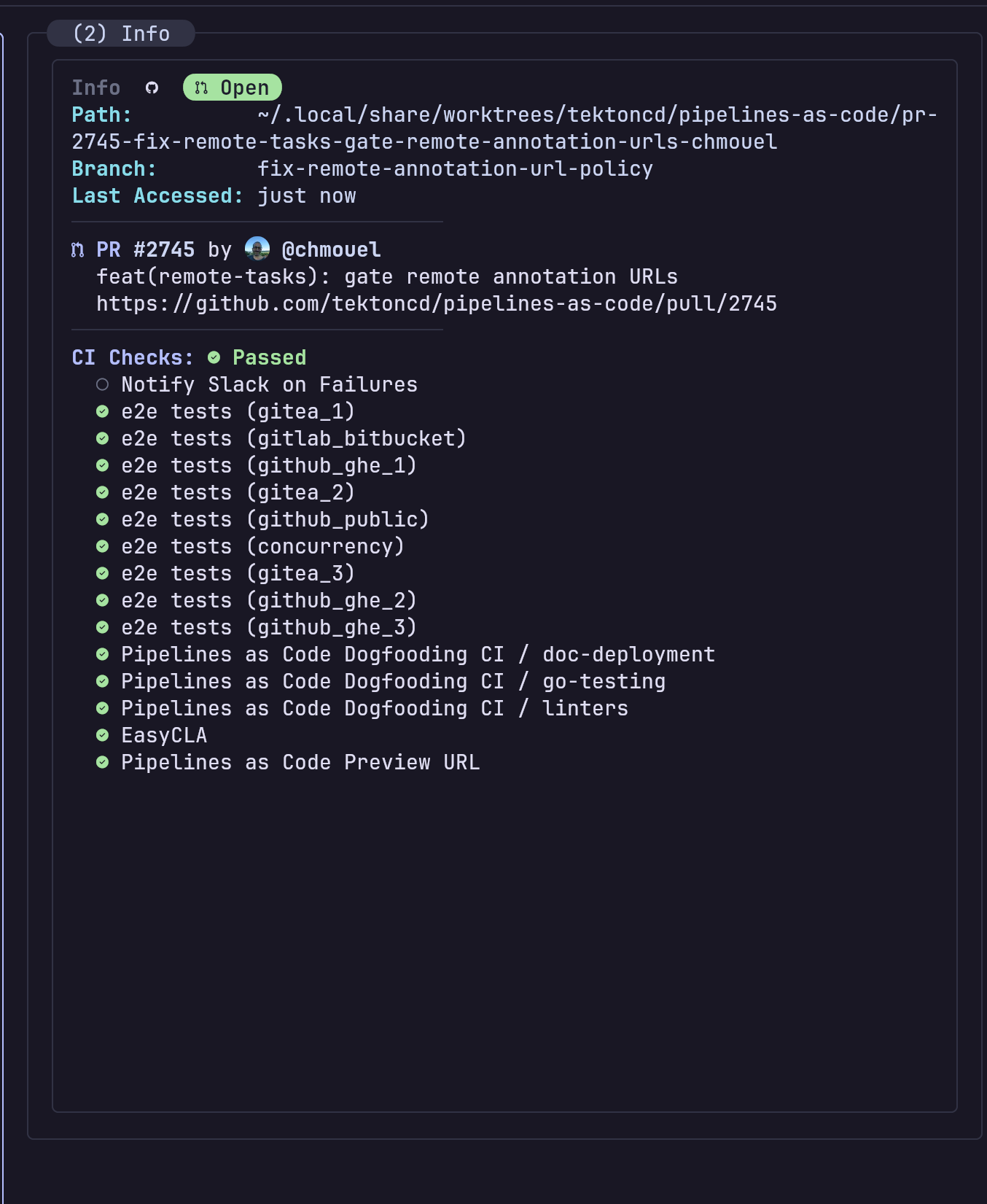
The Info pane showing a linked pull request, its author avatar, state badge, and CI checks.
Rows without a linked PR/MR do not show a PR/MR state badge. For the primary worktree, details for a linked merged or closed PR/MR, including the state badge, are hidden.
Reviewers
The Info pane reports how many people have submitted a review on the selected PR/MR, followed by the reviewers themselves:
A tick marks an approval, a cross marks changes requested, and the remaining
glyph marks a review that carried no verdict, whether because it only left
comments or because an earlier approval has since been dismissed or withdrawn.
Reviewers who have been asked but have not yet responded are not counted. Bots carry a bot icon; everybody else
carries their avatar where avatar badges are available. Longer lists are
shortened to fit the pane, with the remainder shown as a trailing +N.
Reviewers are fetched for the selected worktree only, from GitHub or GitLab, and
the result is reused for a minute. Set pr_reviewers: never to omit the line
along with the request that populates it.
Creating Worktrees from PRs/MRs
Press c and select the PR/MR creation mode. LazyWorktree fetches open PRs/MRs and lets you select one to check out as a new worktree.
Configure branch naming for PR-created worktrees:
| Placeholder | Description |
|---|---|
{number} |
PR/MR number |
{title} |
Original sanitised PR/MR title |
{pr_author} |
PR author username (PR templates only) |
{generated} |
AI-generated title (if branch_name_script configured) |
Disabling PR/MR Integration
If you do not use PRs/MRs or prefer not to install gh/glab, you can disable the integration entirely in your configuration.
Hyperlinks and Context
In terminals that support OSC-8 hyperlinks, PR/MR identifiers and CI check names in the status pane are clickable — opening them directly in your browser.
CI Environment Variables
When running custom commands or lifecycle hooks, LazyWorktree exposes CI context:
| Variable | Description |
|---|---|
LW_CI_JOB_NAME |
CI job identifier |
LW_CI_JOB_NAME_CLEAN |
Sanitised CI job name (safe for filenames) |