Display and Themes
Use these settings to control appearance, icon rendering, and layout behaviour.
Theme Selection
theme: explicit theme name- empty
theme: auto-detect based on terminal background - CLI override:
lazyworktree --theme <name>
Built-in themes and details:
Layout and Pane Arrangement
layout:defaultortop- runtime toggle:
L
Layout controls how worktree, status, git status, commit, and notes panes are arranged.
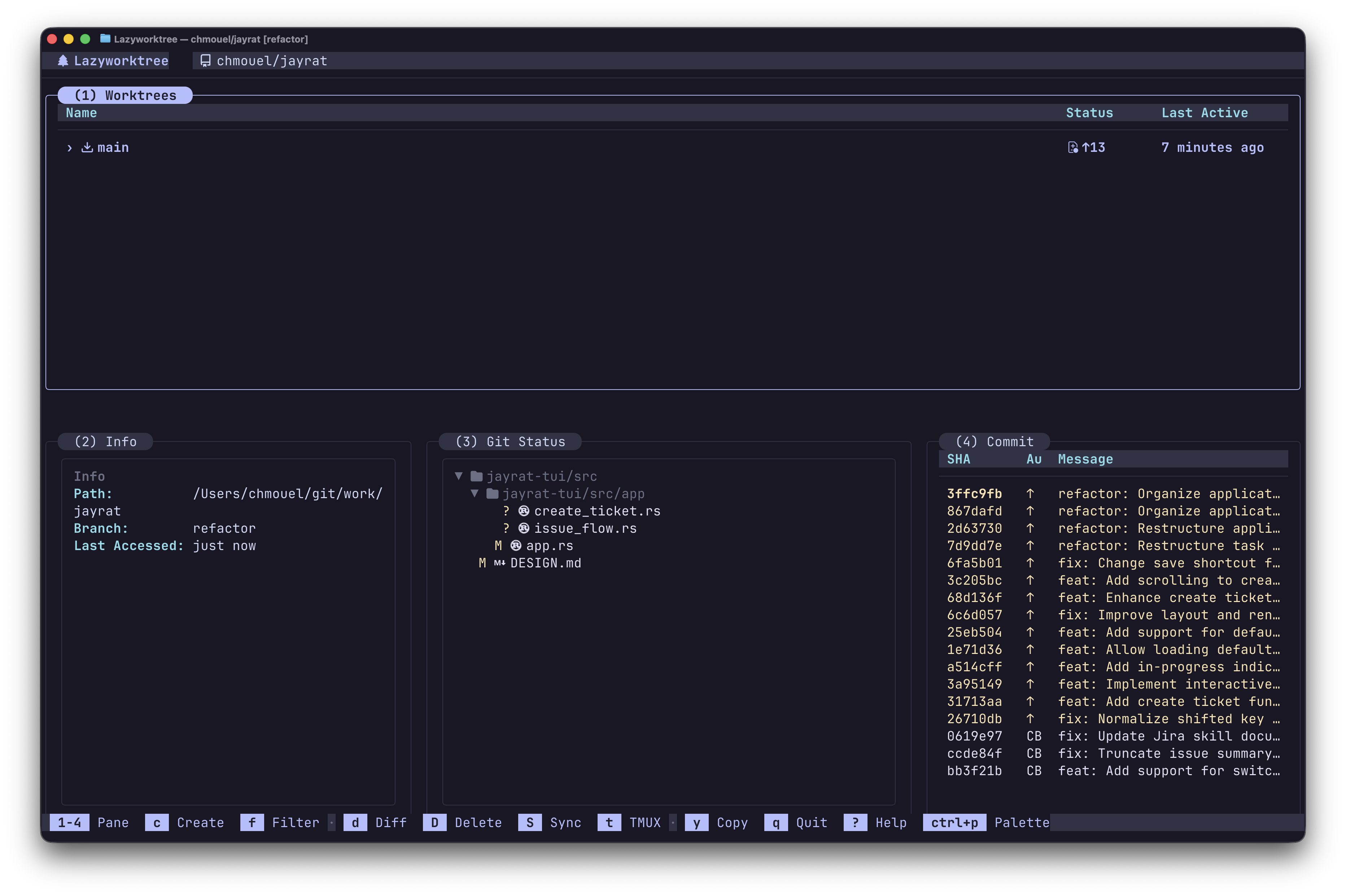
The top layout, showing panes arranged horizontally.
Custom Pane Sizes
Use layout_sizes to adjust how much screen space each pane receives.
Values are relative weights (1–100) that get normalised at computation time,
so info: 30, git_status: 30, commit: 30 means each gets one-third of the
secondary area.
layout_sizes:
  worktrees: 45    # Main pane width (default) or height (top layout)
  info: 30         # Info pane share of secondary area
  git_status: 30   # Git status pane share (when visible)
  commit: 30       # Commit log pane share
  notes: 30        # Notes pane share (when visible)
All fields are optional — omitted fields keep their built-in defaults. Focus-based dynamic resizing still applies on top of the configured baseline.
Tip: On smaller terminals, setting worktrees to a higher value such as 80
gives the worktree list more room whilst keeping the info and commit panes visible.
You can also resize the worktree pane at runtime with h (shrink) and l (grow).
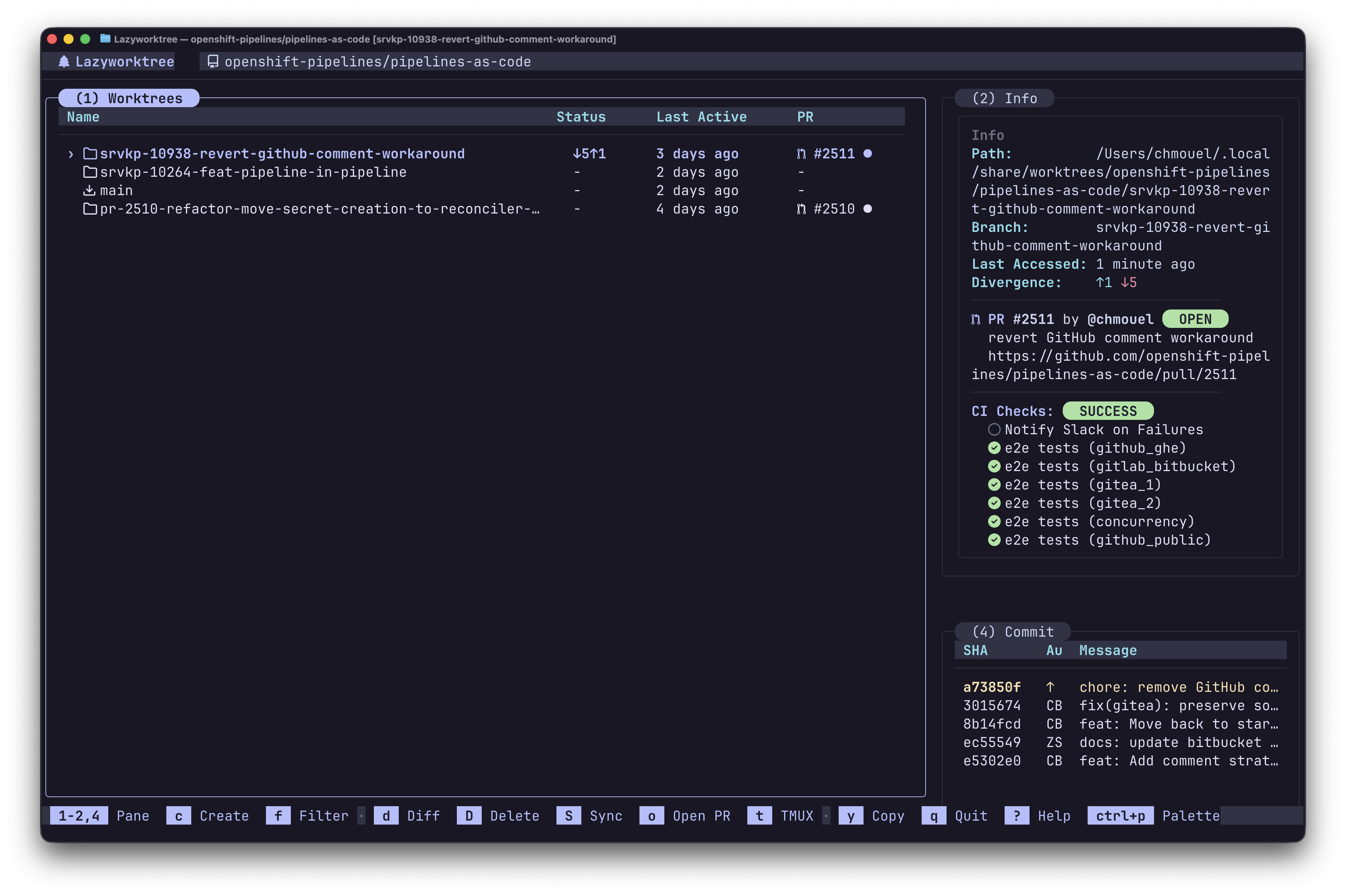
Worktree pane with worktrees: 80 — more space for the list on a compact screen.
Icon Rendering
icon_set:nerd-font-v3ortextavatar_badges:auto,never, oralways
If glyphs render incorrectly, use text or install a patched Nerd Font.
avatar_badges: auto shows tiny avatars in the Info pane — for the PR/MR
author and for each reviewer — only when LazyWorktree detects a
Kitty-compatible terminal, such as Kitty, WezTerm, or Ghostty. Use never to
keep plain text everywhere, or always to force the Kitty graphics path for a
compatible terminal that is not detected automatically.
Reviewers
pr_reviewers:autoornever
pr_reviewers: auto adds a reviewer line to the Info pane for the selected
worktree, listing how many people have submitted a review and who they are.
Bots are marked with a bot icon, and everyone else is shown with their avatar
when avatar badges are available. Each name carries the outcome of its review:
approved, changes requested, or simply commented. Set never to omit the line
and the forge request that populates it.
Commit Log Indicators
The commit log pane uses theme colours for push and merge status:
ErrorFg(typically red) — unpushed commits (↑)WarnFg(typically yellow) — unmerged commits (★, pushed but not in main)
These colours are defined in each theme and follow the selected theme automatically.
Name Truncation
max_name_length: max display width for worktree names- set to
0to disable truncation