Liseursync

The Android app made for LiseurSync

Liseur is an open-source ebook reader and the main app LiseurSync supports. Your books, your place in them, your highlights and your reading time follow you between the phone and your other devices.

Free, no ads and no account. It also works with calibre-web, Komga, BookOrbit and any OPDS catalog.

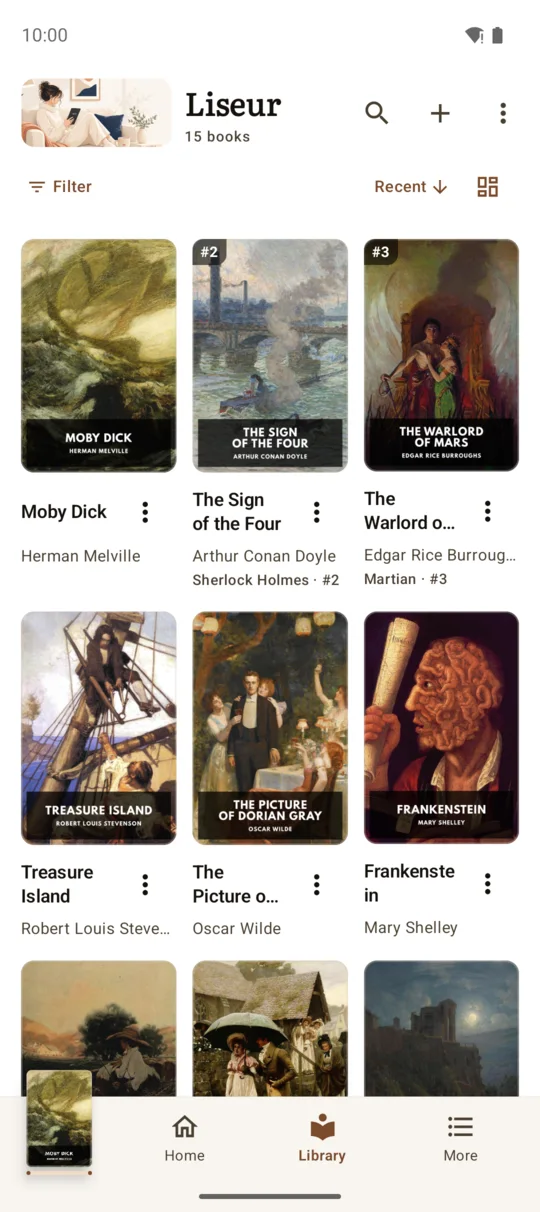
Liseur's library: a grid of book covers sorted by what you are reading.
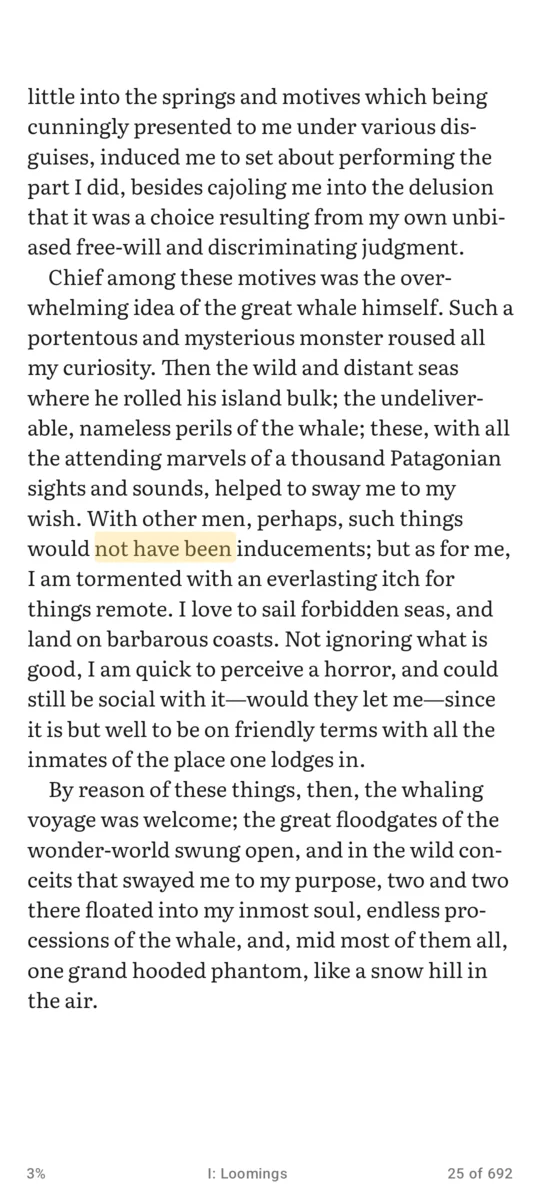
A page of Moby Dick in Liseur's reading view.
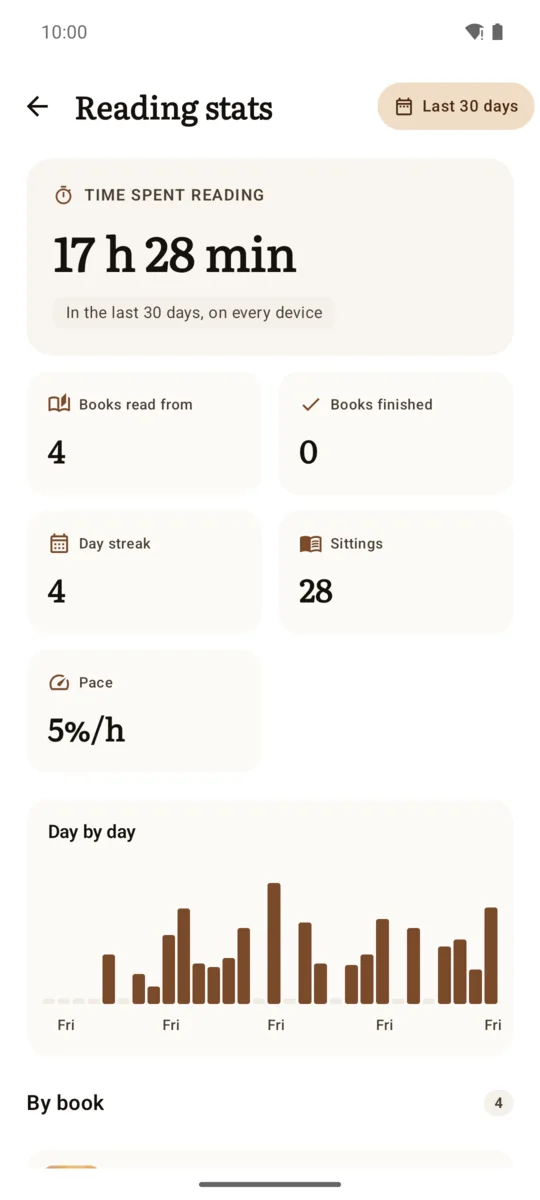
The Reading stats screen with time read and a chart of each day.

How it connects

Liseur needs your server's address and your account. You type them once.

  1. Install Liseur

    From Google Play, F-Droid or the GitHub releases.

  2. Open Settings, then Book server

    Choose LiseurSync as the kind of server.

  3. Enter the address, your username and password

    Tap Connect. Liseur doesn't keep your password on the phone.

If you would rather not type a password, make a token on the Apps tab of the server's Devices page and paste it in instead. Either way you can revoke it there at any time.

Use an https address. Plain http for a server on your home network works only if the server's owner has allowed it.

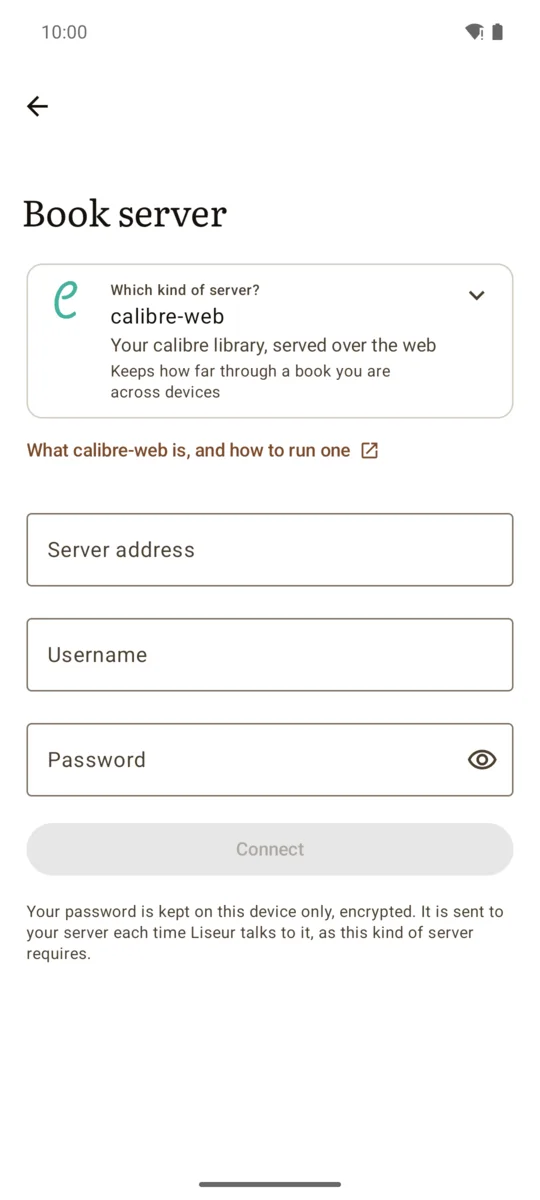
Liseur's Book server screen with fields for the server address, username and password and a Connect button.

The screenshot shows the default choice. Pick LiseurSync from the list.

What works with LiseurSync

Liseur uses nearly everything the server offers. These are the parts you will notice.

Your whole library, in series

Browse and search the server's books. Series are stacked in reading order, with the volumes you are missing marked. Download one book, or fill the shelf with all of them.

A book's page shows what the server knows about it: subtitle, description, publisher, date, contributors with their roles, subjects, languages and identifiers.
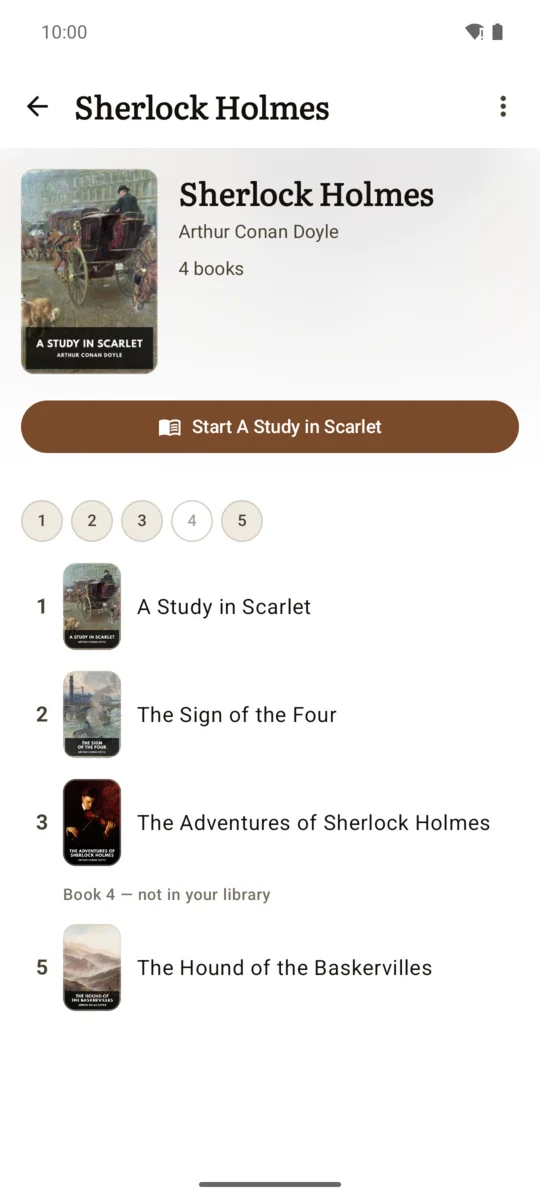
A series page listing four books in reading order, with a button to start the first.

Your place, down to the sentence

Stop mid-paragraph on the phone and the web reader or your other devices open the book on that same sentence.

A page of Moby Dick in Liseur's reading view.

Highlights, notes and bookmarks

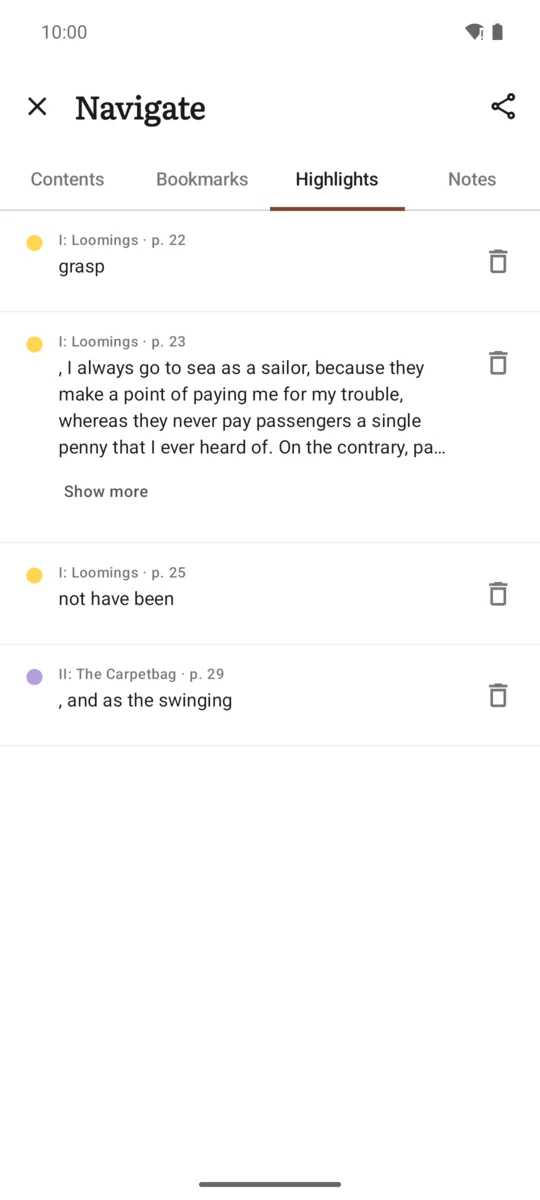
Recolour a highlight, add a note to it or delete it, and your other devices show the change.

The Navigate sheet listing highlights from Moby Dick, each with its chapter and page.

Reading statistics from every device

Time read, day streak, sittings and pace, added up across every device the server knows about, for the last 30 days or another range.

The Reading stats screen: 17 hours 28 minutes in the last 30 days, a day streak and a chart of each day.

Send books from the phone

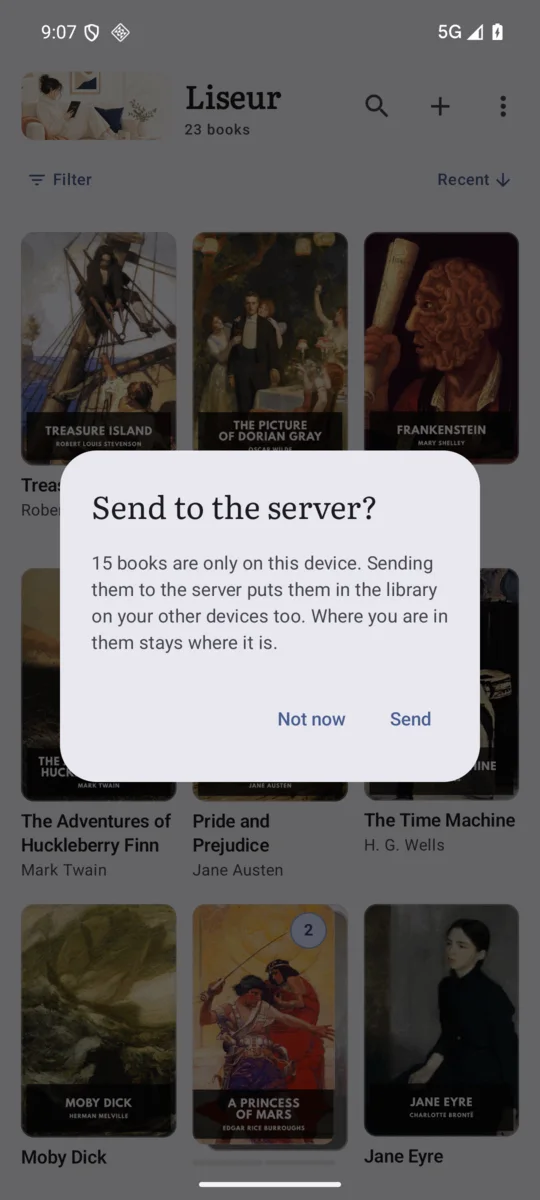
A book that is only on the phone can be sent to a folder on the server that accepts uploads. Books in those folders can be deleted from the server too.

A dialog asking whether to send books that are only on this device to the server.

Translations shared between devices

Sentences translated as you read are cached on the server for your account. A second device reading the same book pulls them instead of calling the translation service again.

The sentence you translated is never sent to the server.

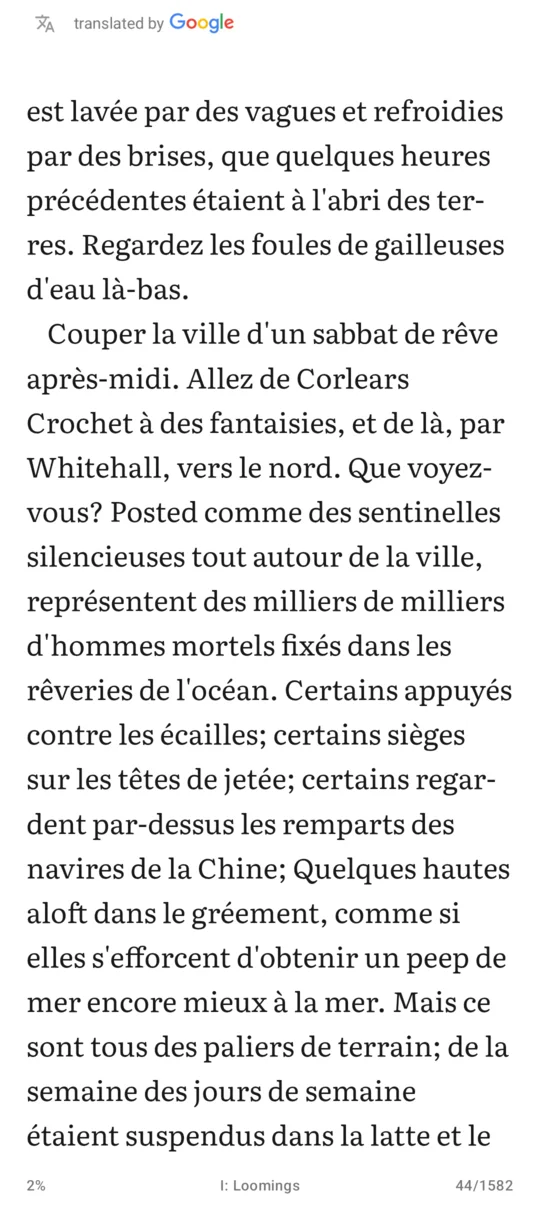
A page of Moby Dick translated into French, sentence by sentence.

Everything it supports

Browse and searchEvery book on the server that your account can see.
DownloadOne book at a time, or all of them.
Reading positionExact to the sentence.
Highlights, notes and bookmarksKept in step across devices.
Reading statisticsAdded up across every device.
Upload and deleteFor folders on the server that accept uploads.
SeriesRename a series or reorder it for yourself, without touching the library.
Settings backupYour appearance and reading settings, saved on the server for this phone.
Translation cacheShared between your devices.
Book detailsSubtitle, description, publisher, date, contributors, subjects, languages and identifiers.
And the app itself

Liseur has light, sepia, dark and low-light themes, adjustable type and margins, a dictionary, read aloud with your device's voices, home-screen widgets and a reading companion that answers questions about characters from the pages you have already read.

Its own code has no ads, trackers or analytics. The repository has the full list, and the privacy policy says which services it talks to.

Get Liseur

You need a LiseurSync server to connect to. Install one first. Reading on an e-reader as well? Set up KOReader.