
Calculator
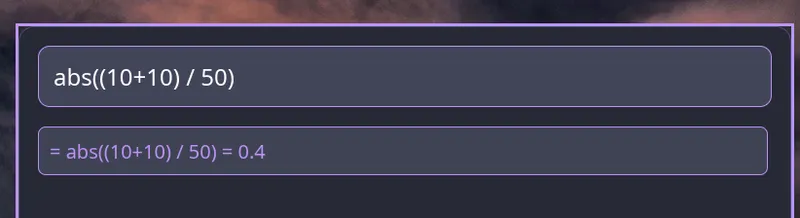
The native interface includes a built-in calculator that evaluates mathematical expressions as you type.
Overview
Section titled “Overview”Simply type a mathematical expression in the launcher, and the calculator will automatically detect and evaluate it. Results can be copied to the clipboard using Enter.
Supported Operations
Section titled “Supported Operations”Basic Arithmetic
Section titled “Basic Arithmetic”5 + 3# Result: 810 - 4# Result: 67 * 6# Result: 4220 / 4# Result: 517 % 5# Result: 22 ^ 8# Result: 256Mathematical Functions
Section titled “Mathematical Functions”The calculator supports common mathematical functions:
| Function | Description | Example |
|---|---|---|
sqrt(x) | Square root | sqrt(16) → 4 |
sin(x) | Sine (radians) | sin(0) → 0 |
cos(x) | Cosine (radians) | cos(0) → 1 |
tan(x) | Tangent (radians) | tan(0) → 0 |
log(x) | Base-10 logarithm | log(100) → 2 |
ln(x) | Natural logarithm | ln(2.718) → ~1 |
exp(x) | Exponential (e^x) | exp(1) → ~2.718 |
abs(x) | Absolute value | abs(-5) → 5 |
floor(x) | Round down | floor(3.7) → 3 |
ceil(x) | Round up | ceil(3.2) → 4 |
Complex Expressions
Section titled “Complex Expressions”You can combine multiple operations and functions:
sqrt(16) + abs(-5)# Result: 92 + 3 * 4# Result: 14 (multiplication first)(2 + 3) * 4# Result: 20exp(ln(10))# Result: 10Basic Usage
Section titled “Basic Usage”- Launch Raffi in native mode
- Type a mathematical expression
- The result appears automatically
- Press Enter to copy the result to clipboard
Keyboard Shortcuts
Section titled “Keyboard Shortcuts”- Enter: Copy result to clipboard
- Esc: Clear input and return to normal mode
Configuration
Section titled “Configuration”The calculator is enabled by default in native mode. To disable it:
addons: calculator: enabled: falseEnable Calculator
Section titled “Enable Calculator”addons: calculator: enabled: trueaddons: calculator: enabled: falseRequirements
Section titled “Requirements”Install wl-clipboard on your system:
sudo pacman -S wl-clipboardsudo apt install wl-clipboardsudo dnf install wl-clipboardExamples
Section titled “Examples”Basic Calculations
2 + 2 → 410 - 3 → 75 * 4 → 20100 / 4 → 252 ^ 10 → 1024Scientific Functions
sqrt(144) → 12abs(-42) → 42floor(3.9) → 3ceil(2.1) → 3exp(0) → 1ln(1) → 0Trigonometry
sin(0) → 0cos(0) → 1tan(0) → 0Complex Expressions
sqrt(16) * 5 → 20(10 + 5) * 2 → 302 ^ 3 + sqrt(9) → 11abs(-5) * floor(3.7) → 15exp(ln(100)) → 100