Getting Started
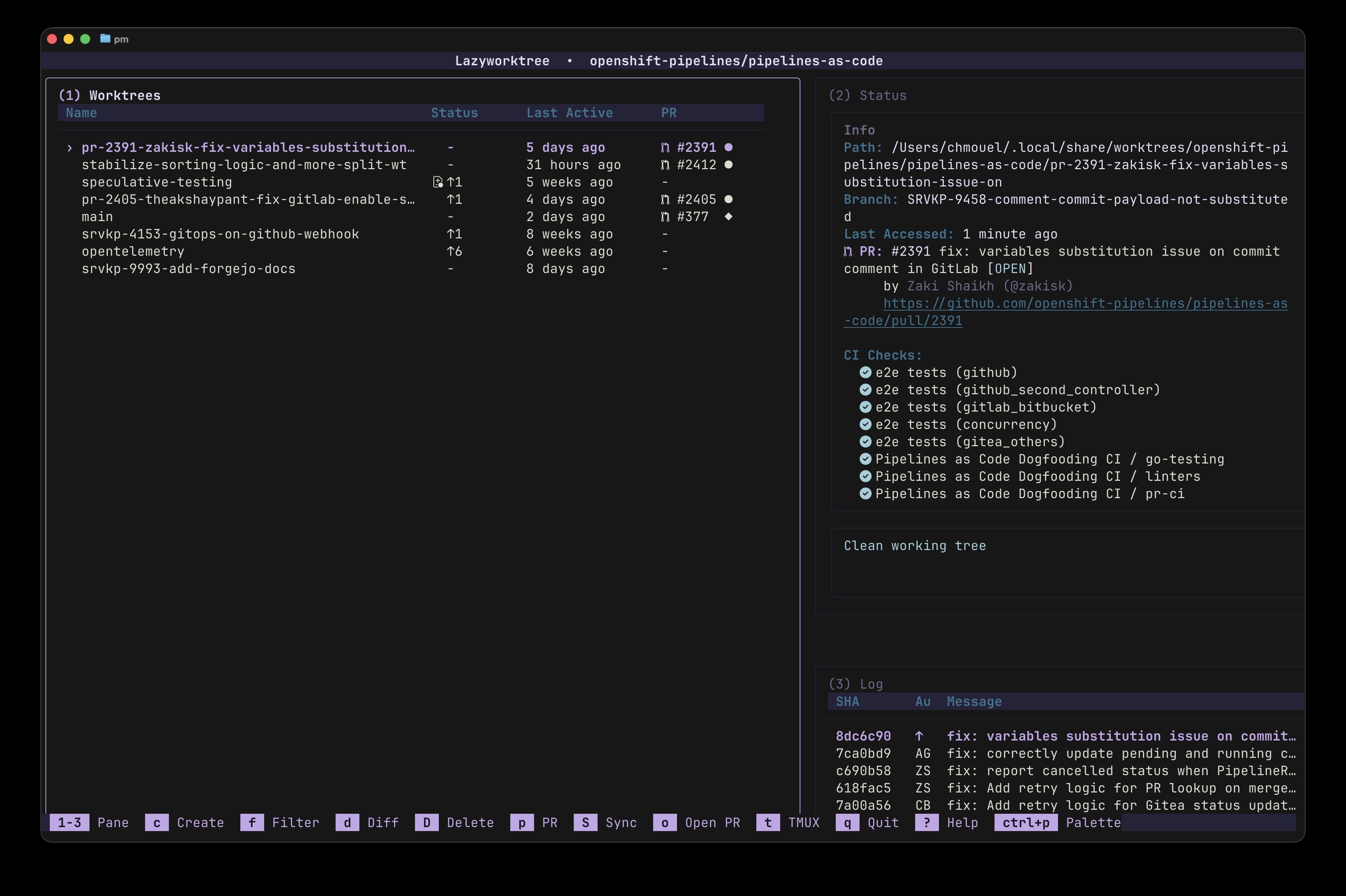
Quick path: install lazyworktree, open a repository, run lazyworktree, then press Enter to jump to the selected worktree path.
First Run
- Install lazyworktree using one of the methods in Installation.
- Move to any Git repository in your terminal.
- Run
lazyworktree. - Press
?to open the interactive help screen.
Jumping to Worktrees from Your Shell
By default, pressing Enter outputs the selected worktree path. To jump directly:
For richer shell helpers and functions, see the shell integration guide.
Requirements
- Git: 2.31+
- Forge CLI:
ghorglabfor PR/MR status
Optional tools:
- Nerd Font: icons default to Nerd Font glyphs.
- delta: syntax-highlighted diffs (recommended).
- lazygit: full TUI git control.
- tmux / zellij: session management.
- aichat or similar LLM CLI for automatic branch naming from diffs/issues/PRs.
Important
If characters render incorrectly when starting lazyworktree, set icon_set: text or install a Nerd Font patched terminal font.
Build-time requirement:
- Go 1.25+