Worktree Operations
Create and manage multiple active branches in parallel without branch checkout churn.
Use this page when: you want the core lifecycle actions for worktrees, from creation to cleanup.
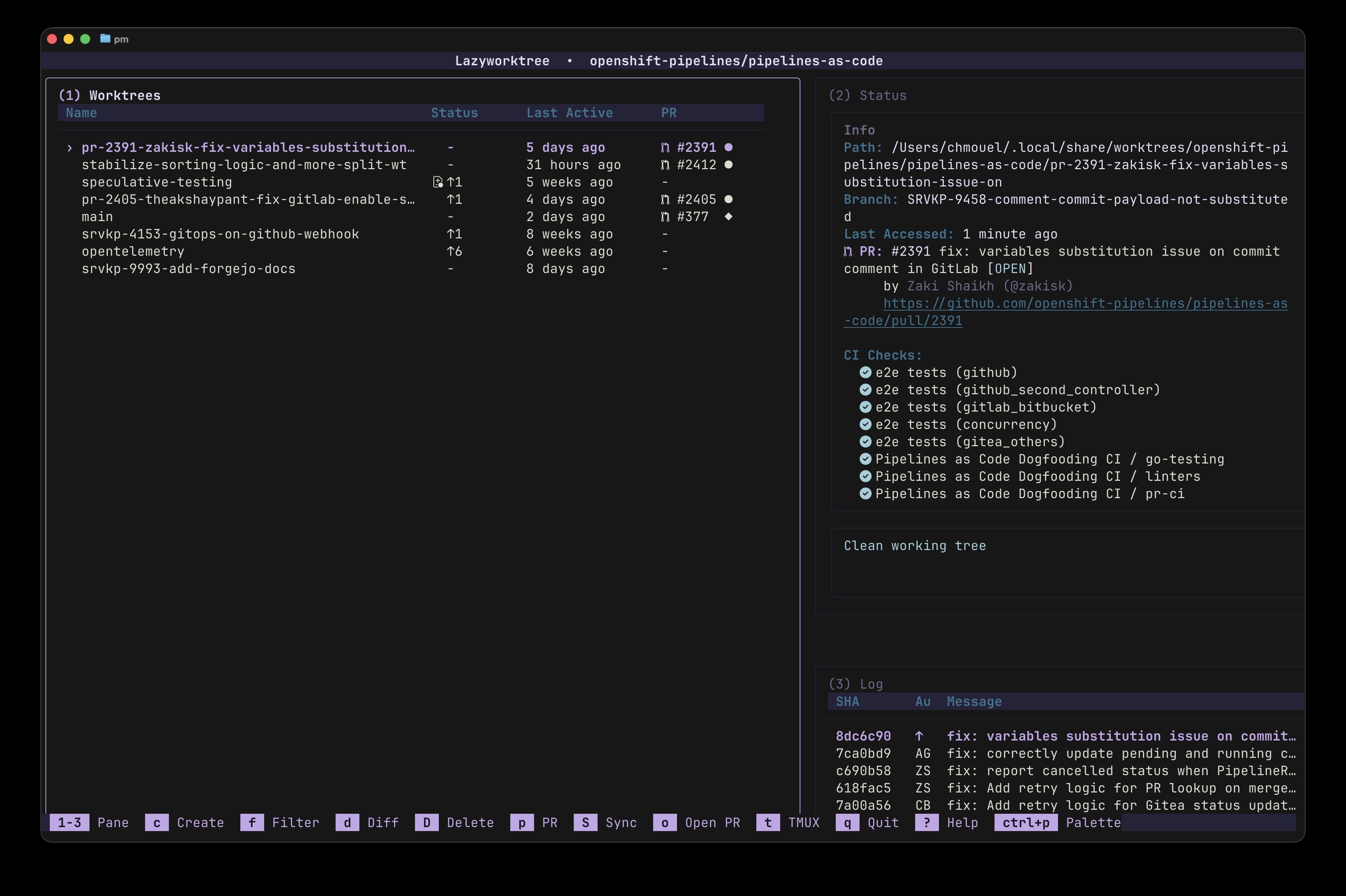
Core Actions
| Action | Purpose | Typical Entry Point |
|---|---|---|
| Create | Start isolated work from branch/PR/issue | c in TUI, lazyworktree create |
| Rename | Keep workspace names meaningful | m in TUI, lazyworktree rename |
| Delete | Remove workspace and optionally branch | D in TUI, lazyworktree delete |
| Absorb | Integrate selected worktree into main | A in TUI |
| Prune | Remove merged worktrees in bulk | X in TUI |
| Sync | Pull and push clean worktrees | S in TUI |
Custom worktree icons
You can assign a custom icon to each worktree, making it easier to recognise context at a glance in busy repositories.

How to set an icon
- Select a worktree in the Worktree pane.
- Press
Ito open Set worktree icon. - Use
j/kto move,fto filter, thenEnterto select.
You can also open this action from the command palette (Ctrl+p or :) by searching for Set worktree icon.
To return to the default icon, choose Default Folder in the picker.
Practical use cases
- Use
🐛orfor bug-fix worktrees. - Use
📚for documentation updates. - Use
orfor infrastructure and platform changes. - Use
🚀orfor feature delivery streams.
For teams, adopting a simple icon convention improves visual scanning during reviews, pairing, and release preparation.
Default Location
Worktrees are created under:
Customise this with the worktree_dir configuration option.
Creation Sources
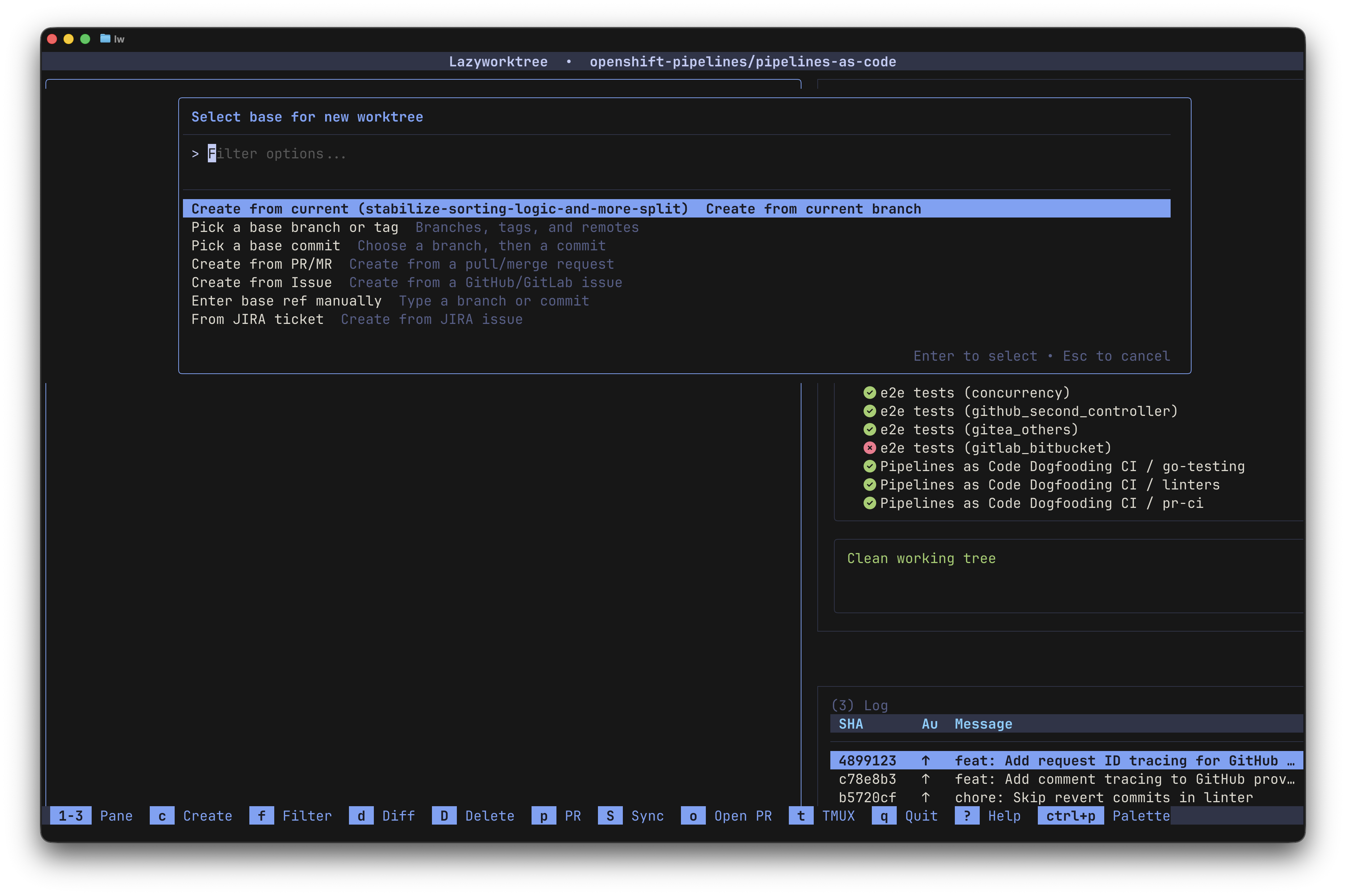
Press c to open the creation menu with the following modes:
- From current branch — with or without uncommitted changes
- Checkout existing branch — select from available branches or create a new one
- From PR/MR — create a worktree directly from an open pull or merge request
- From issue — create a worktree from a GitHub or GitLab issue
Creating from a PR or Issue
When creating from a PR or issue, LazyWorktree:
- Fetches the PR/issue metadata using
ghorglab - Generates a branch name from the title (or via AI if
branch_name_scriptis configured) - Checks out the branch and sets up the worktree
- Optionally generates a note from the description (if
worktree_note_scriptis configured)
Tip
Configure pr_branch_name_template and issue_branch_name_template to control how branch names are derived. See Branch Naming.
Branch Name Sanitisation
All branch names — manual or generated — are automatically sanitised:
| Input | Converted |
|---|---|
feature.new |
feature-new |
bug fix here |
bug-fix-here |
feature:test |
feature-test |
user@domain/fix |
user-domain-fix |
Special characters are converted to hyphens, leading/trailing hyphens are removed, and consecutive hyphens are collapsed.
For exact CLI patterns, see CLI create.
Lifecycle Hooks
Worktree creation/removal can run commands from repository .wt files and global config hooks. These are protected by TOFU (Trust On First Use) security — you must explicitly approve each .wt file before its commands execute.
For hook setup and trust behaviour, see Lifecycle Hooks.
Environment-Aware Commands
Custom commands and lifecycle hooks receive worktree context variables:
| Variable | Description |
|---|---|
WORKTREE_NAME |
Name of the worktree (e.g., my-feature) |
WORKTREE_BRANCH |
Branch name for the worktree |
WORKTREE_PATH |
Full path to the worktree directory |
MAIN_WORKTREE_PATH |
Path to the main/root worktree |
REPO_NAME |
Name of the repository |