CI and PR/MR Status
LazyWorktree surfaces pull/merge request information and CI state directly in the status pane.
Use this page when: you need to inspect checks, view logs, and open CI context without leaving the terminal.
Requirements
LazyWorktree auto-detects the forge from your repository remote.
Status Indicators
For worktrees linked to PR/MR items:
| Indicator | Colour | Status |
|---|---|---|
✓ |
Green | Passed |
✗ |
Red | Failed |
● |
Yellow | Pending |
○ |
Grey | Skipped |
⊘ |
Grey | Cancelled |
Status data is fetched lazily and cached briefly for responsiveness.
Navigation and Actions
| Key | Action |
|---|---|
v |
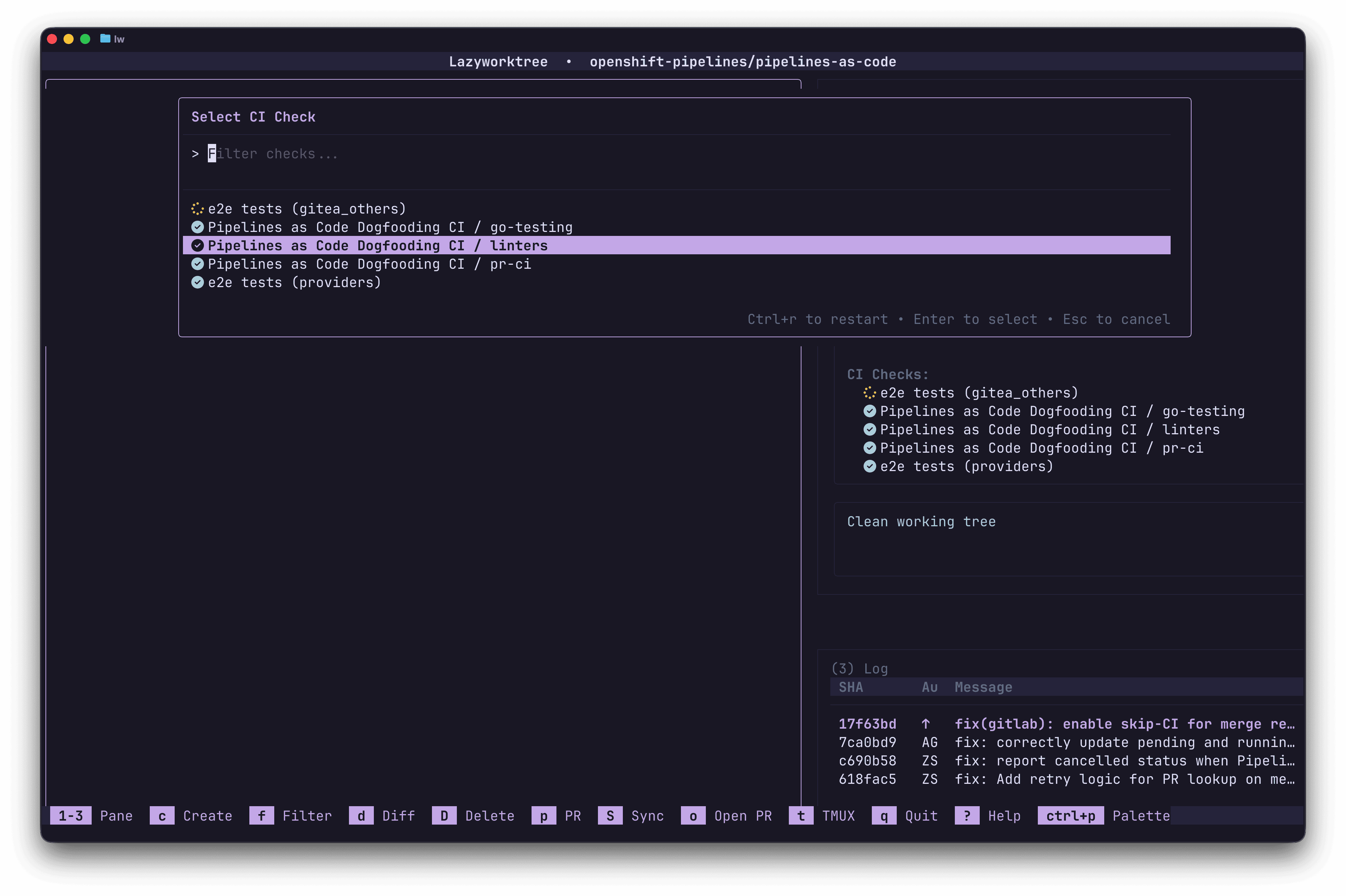
View CI checks (when Status pane is focused) |
j / k |
Navigate between CI checks |
Enter |
Open selected check URL in browser |
Ctrl+v |
View selected check logs in pager |
Ctrl+r |
Restart CI job (GitHub Actions only) |
Viewing CI Logs
Press Ctrl+v on a selected check to open its logs in your configured pager. The pager command is set via the ci_log_pager configuration option, falling back to diff_pager or $PAGER.
Restarting Jobs
Press Ctrl+r to restart the selected CI job. This is currently supported for GitHub Actions only.
Auto-Refresh
CI status refreshes automatically at a configurable interval. You can also trigger a manual refresh. Configure the refresh interval via:
PR/MR Integration
When a worktree branch has an associated pull or merge request, the status pane displays:
- PR/MR title and number
- Review status
- CI check results
- Divergence from upstream
Creating Worktrees from PRs/MRs
Press c and select the PR/MR creation mode. LazyWorktree fetches open PRs/MRs and lets you select one to check out as a new worktree.
Configure branch naming for PR-created worktrees:
| Placeholder | Description |
|---|---|
{number} |
PR/MR number |
{title} |
Original sanitised PR/MR title |
{pr_author} |
PR author username (PR templates only) |
{generated} |
AI-generated title (if branch_name_script configured) |
Disabling PR/MR Integration
If you do not use PRs/MRs or prefer not to install gh/glab, you can disable the integration entirely in your configuration.
Hyperlinks and Context
In terminals that support OSC-8 hyperlinks, PR/MR identifiers and CI check names in the status pane are clickable — opening them directly in your browser.
CI Environment Variables
When running custom commands or lifecycle hooks, LazyWorktree exposes CI context:
| Variable | Description |
|---|---|
LW_CI_JOB_NAME |
CI job identifier |
LW_CI_JOB_NAME_CLEAN |
Sanitised CI job name (safe for filenames) |